Enhancing User Experience in RummyCircle’s Help & Support Section
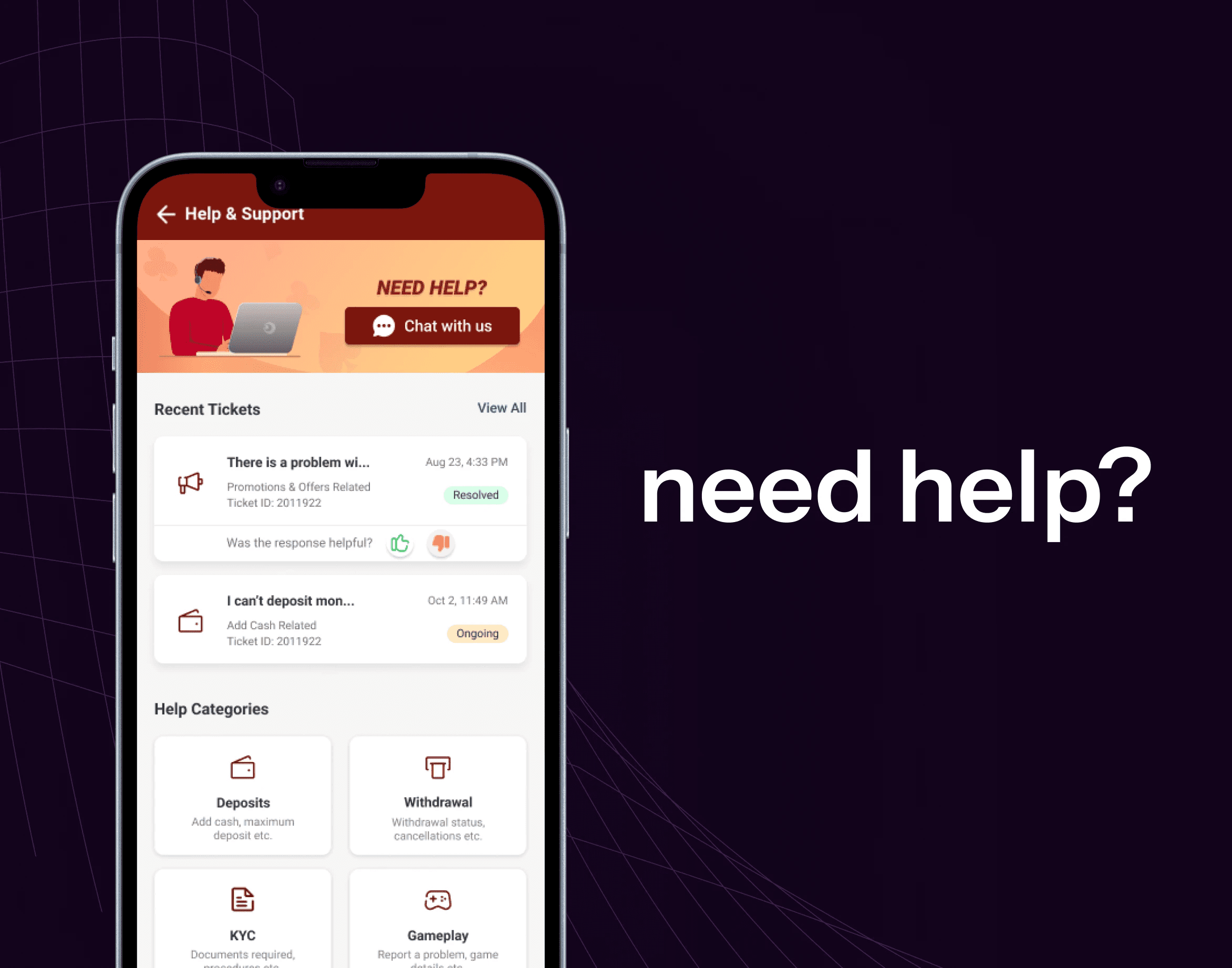
RummyCircle’s Help & Support section lacked an intuitive way for users to track their ongoing support tickets. The existing process was entirely manual—users had to either contact customer support or check their email for updates. This created friction, led to inefficiencies, and ultimately resulted in a suboptimal user experience.
To address this, we revamped the Help & Support section by introducing a "Recent Tickets" feature, allowing users to easily view and track their support tickets within the app. This case study explores the design decisions, UX enhancements, and impact of this feature.
Problem Statement
Manual tracking: Users had to rely on customer support or emails to stay updated.
Lack of visibility: Users had no direct way to check the status of their raised tickets.
High support load: Increased dependency on customer support for ticket tracking inquiries.
Poor user experience: Frustration due to delayed responses and lack of transparency.
Objective
Enhance user confidence and engagement by prominently displaying the new withdrawal limit of ₹20 Lakh, ensuring transparency and improving the overall user experience.
Status: In Progress (Pipeline)
Goals & Objectives
Improve user accessibility to support tickets within the app.
Reduce customer support dependency by providing self-service tracking.
Enhance the UI/UX of the Help & Support section for a seamless experience.
Provide clear ticket status updates with different states (Open, Closed, Resolved, Reopened)
Questions which came to mind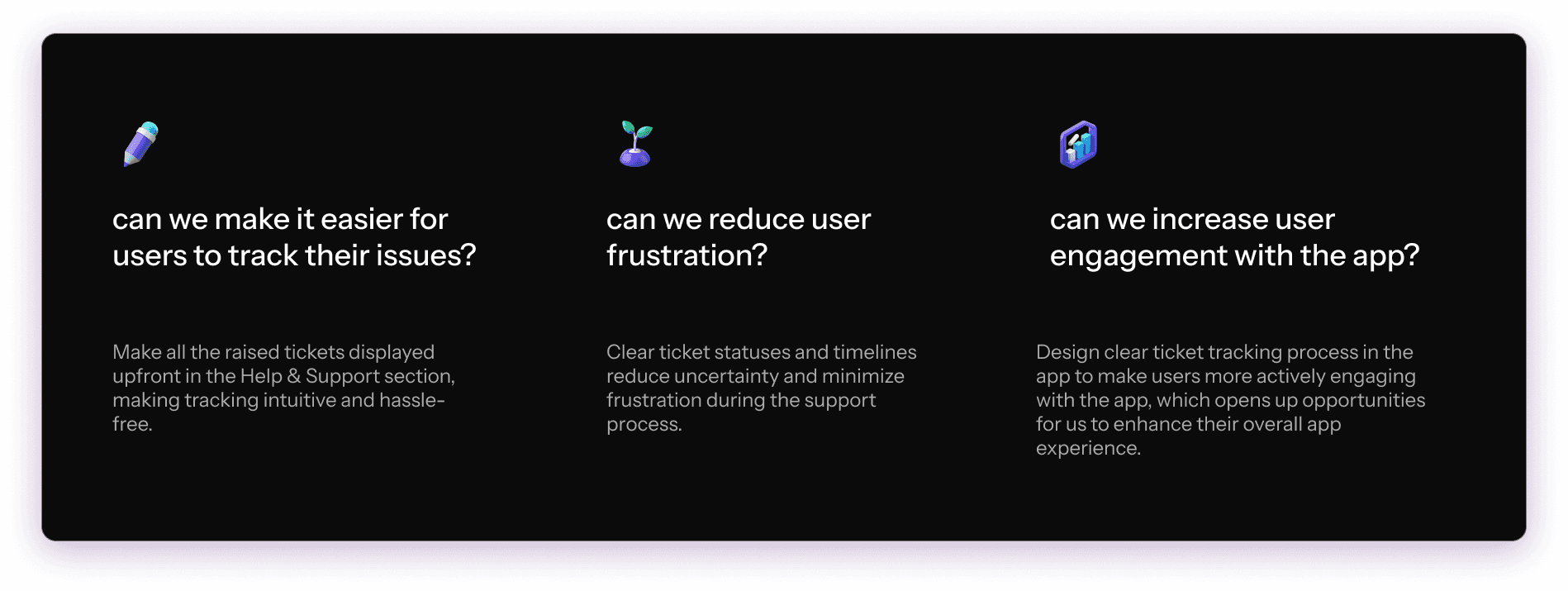
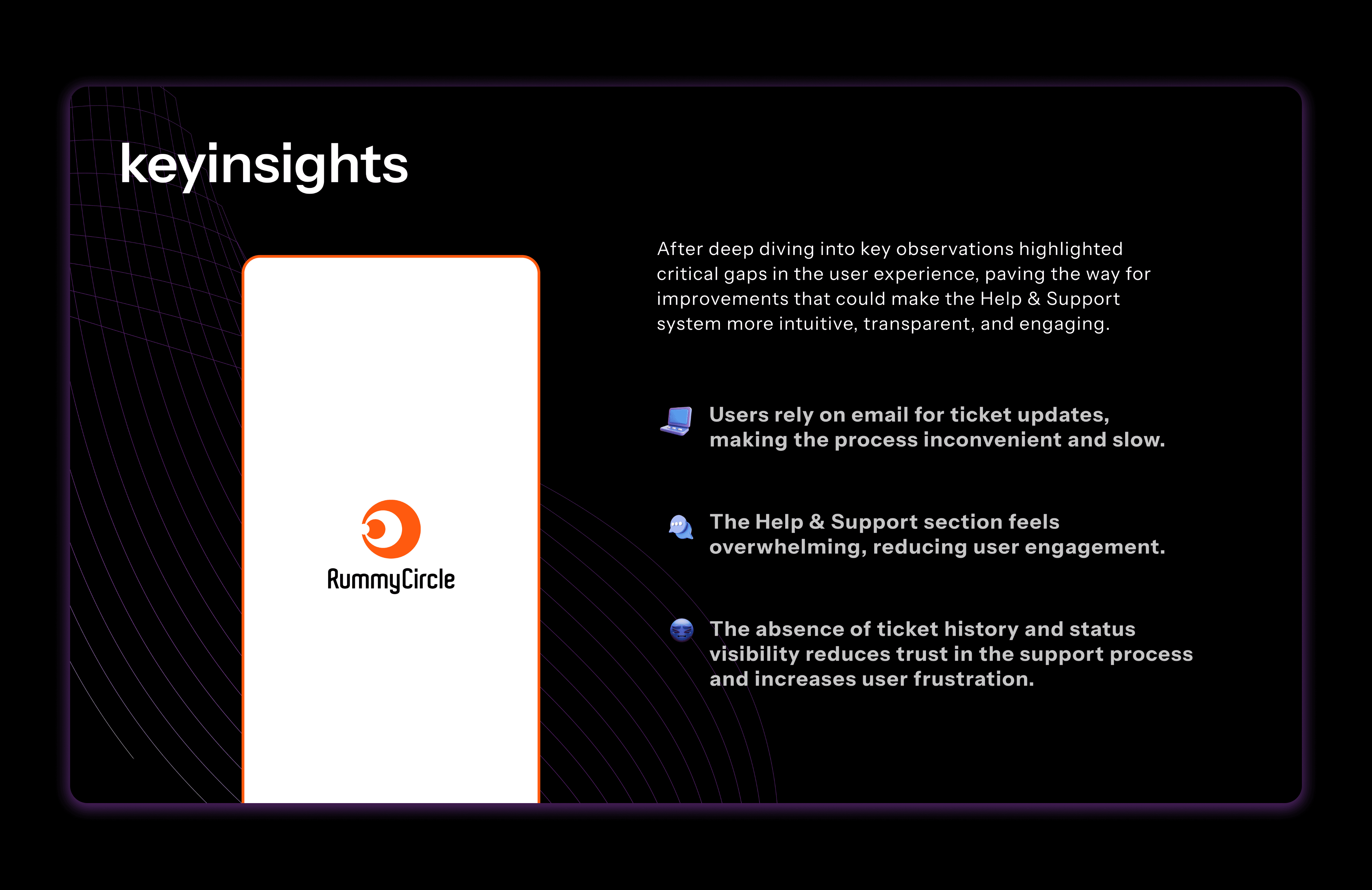
Key Insights on Current Design & Problems
The existing Help & Support system in RummyCircle lacks a centralized tracking system, making it difficult for users to monitor their open or closed tickets directly within the app. Instead, they have to rely on email updates or manually reach out to customer support, causing delays and frustration. This leads to a high dependency on customer support, as users frequently inquire about their ticket status, increasing the support team’s workload and slowing down response times.
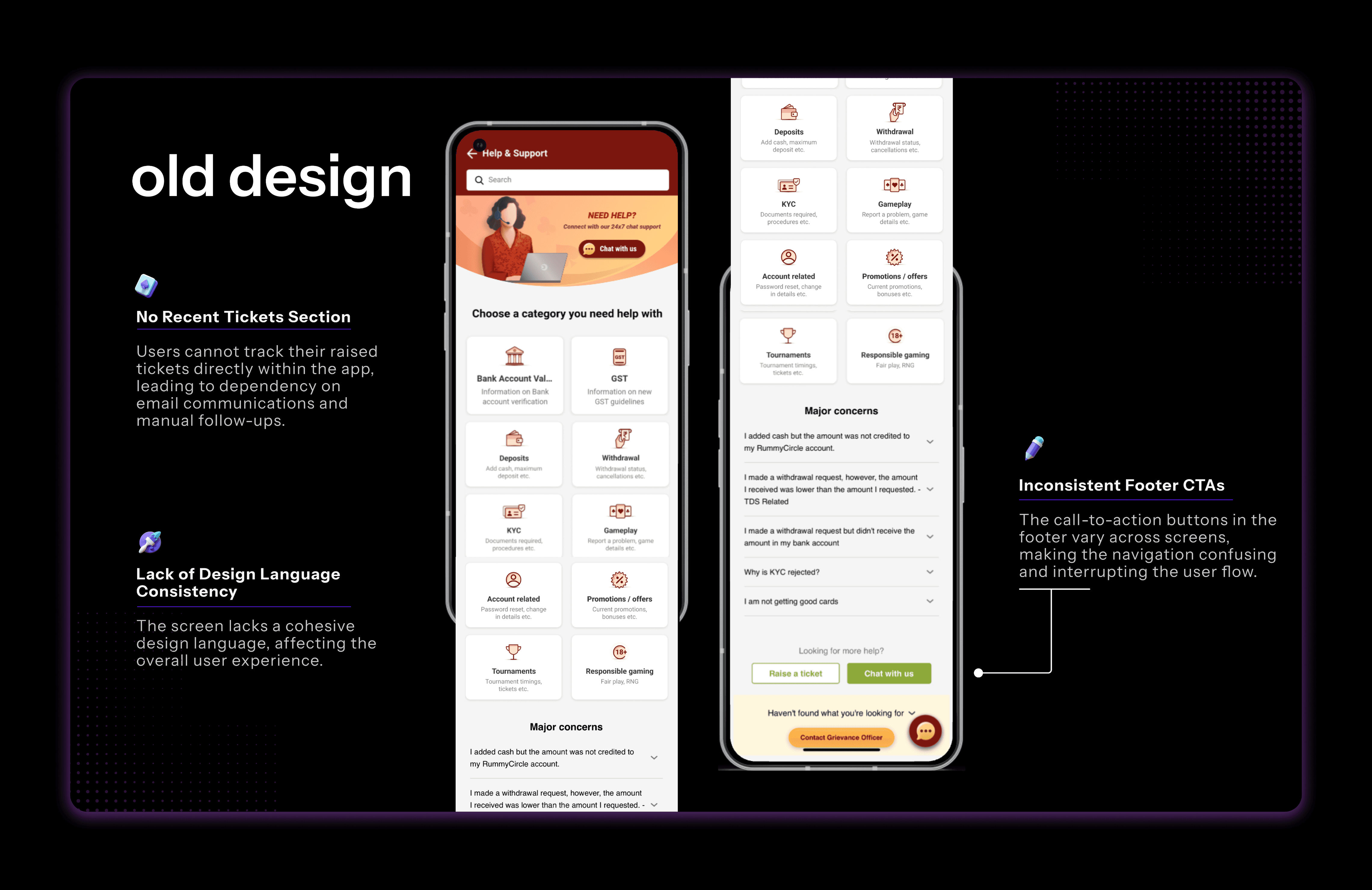
Additionally, the absence of real-time updates creates a poor user experience, leaving users feeling out of control and uncertain about the resolution of their issues. Delayed responses further contribute to a lack of trust in the platform’s support system. Furthermore, the lack of a structured communication flow results in users losing track of past conversations, making it difficult to follow up effectively. Without a clear ticket history or context, users often struggle to stay informed about their ongoing support requests.
Data Insights
Users had no direct way to track ticket status, leading them to repeatedly contact customer support via email or chat, increasing resolution time.
Over 60% of users raised tickets for issues that could have been self-resolved if they had better visibility into their ticket history and status updates.
High dependency on customer support: More than 70% of ticket-related inquiries were about tracking the status rather than reporting new issues, overloading the support team.
Lack of structured ticket categorization resulted in users selecting the wrong issue type, leading to miscommunication and additional back-and-forth with agents.
Delayed responses reduced trust, as users often felt disconnected from the resolution process, leading to frustration and repeat inquiries.
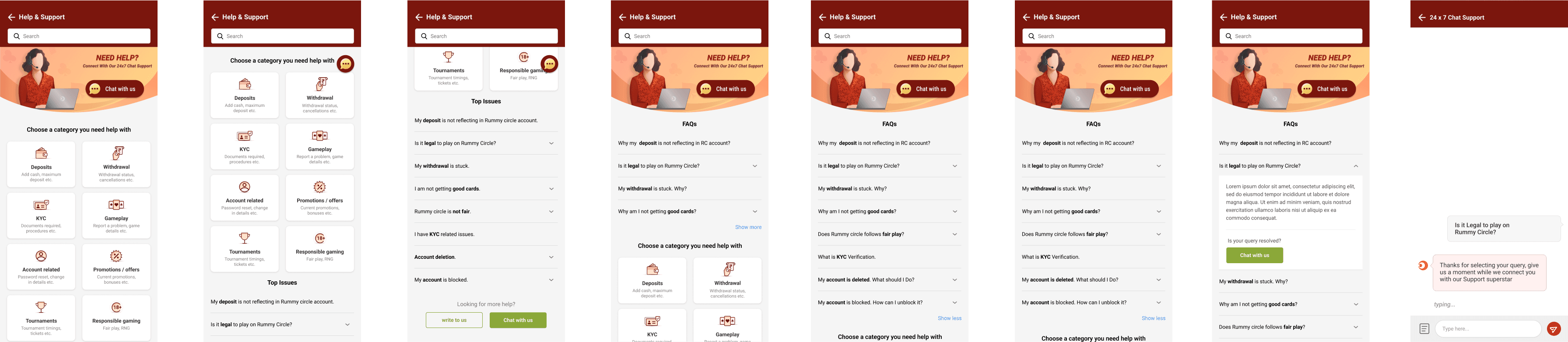
Current Help and Support end to end flow with Ticket chat trail
Solution
As part of improving the Help & Support experience, I designed these wireframes to address key usability challenges users faced when tracking their raised tickets.
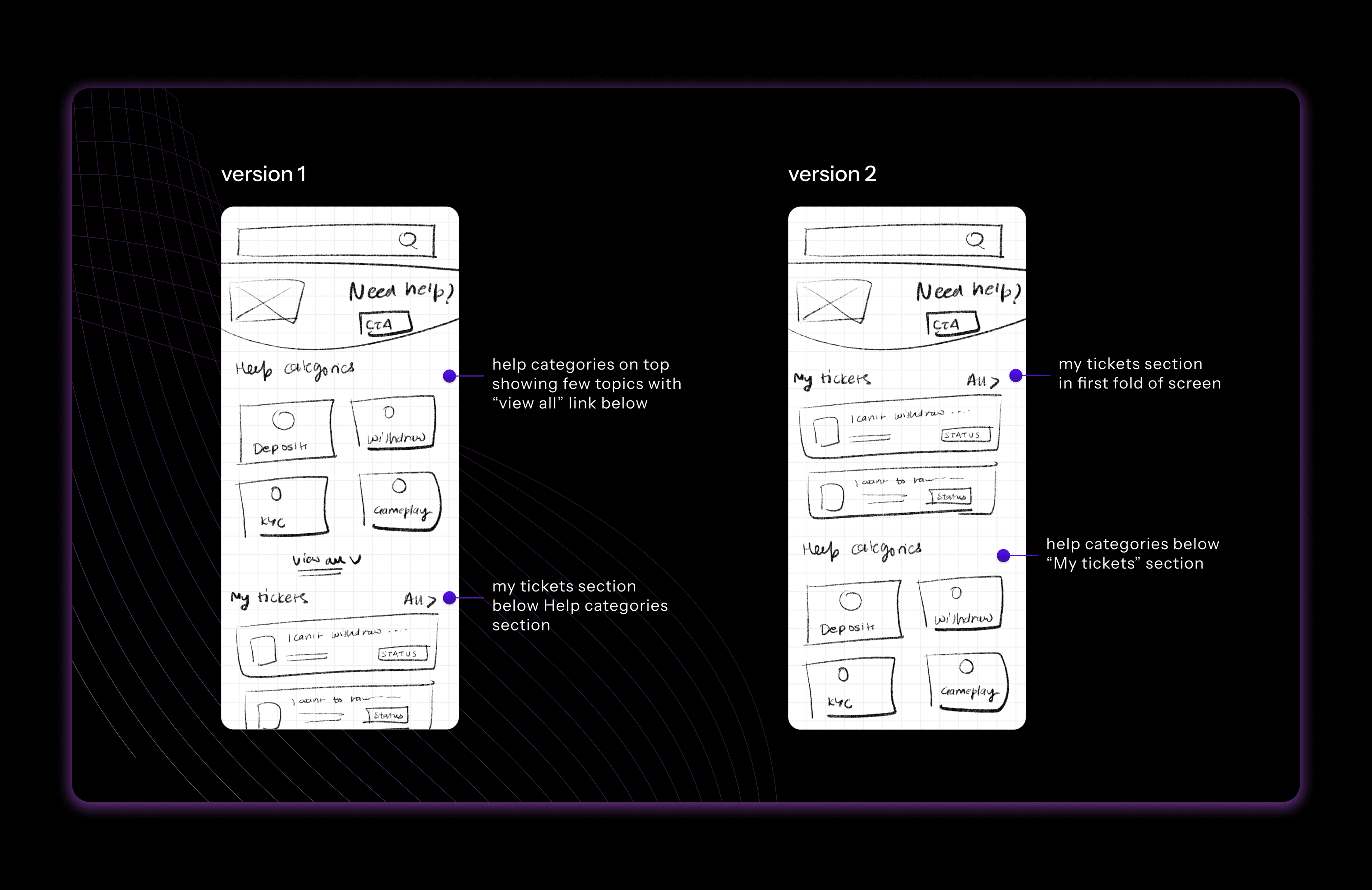
Version 1: The first version of the Help & Support page was designed with help categories placed at the top, displaying common topics like "Deposit," "Withdrawal," "KYC," and "Gameplay." Below this section, users could find "My Tickets," where they could track the status of their previously raised issues. However, this structure led to several usability concerns. Many users struggled to find their existing tickets, often leading them to submit duplicate queries. Since their priority was checking the progress of their issues rather than browsing general help topics, this approach did not align with their expectations. Support agents also faced an increased workload as they received multiple tickets for the same issue, making the resolution process slower and less efficient.
Version 2: To address these challenges, the second version was designed with a more user-centric approach. The most significant change was moving the "My Tickets" section to the first fold of the screen, ensuring that users could immediately access and track their existing issues upon landing on the page. The help categories were then placed below this section, ensuring that users still had access to common FAQs and topics while prioritizing their existing concerns. This change significantly improved the experience by reducing the cognitive load on users and aligning with their primary intent—checking ticket statuses before seeking additional help. A clearer call-to-action was also introduced, allowing users to navigate their ticket status with ease.
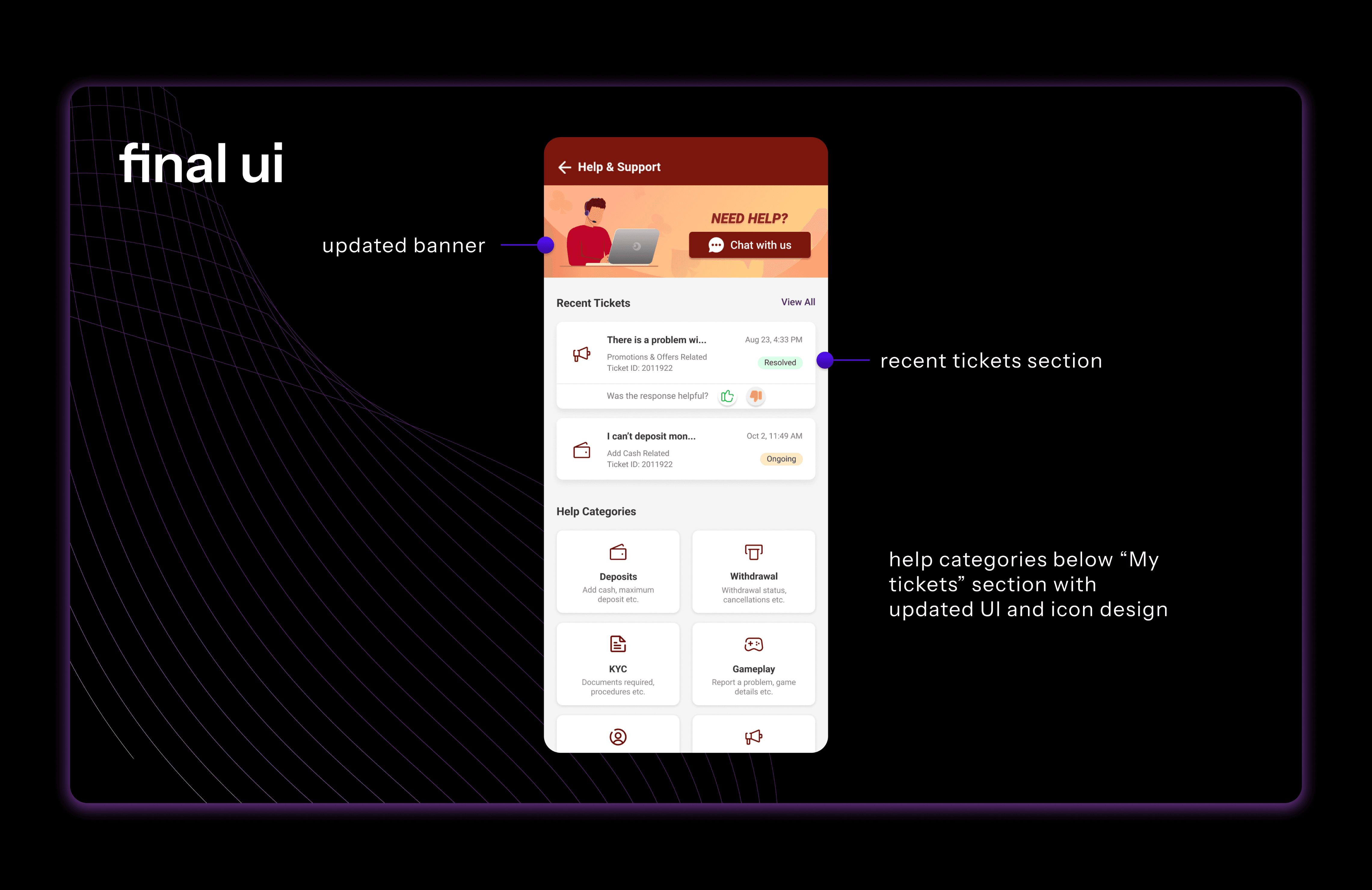
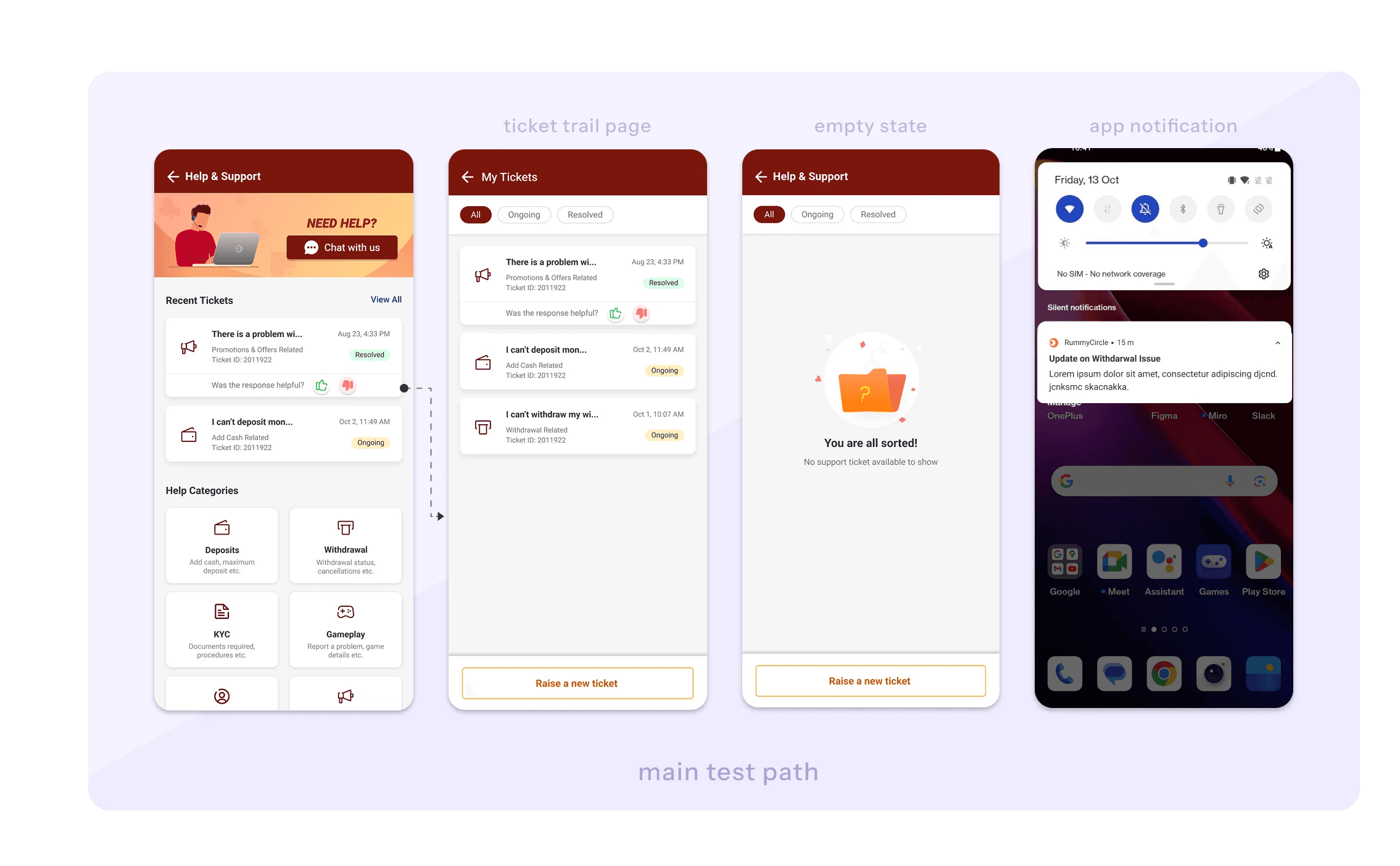
The final UI design of the Help & Support section reflects both functional improvements and enhanced visual appeal. Based on the chosen wireframe iteration, we prioritized the "Recent Tickets" section at the top, ensuring users can quickly track their ongoing and resolved tickets without unnecessary navigation. This change significantly improves accessibility and transparency in customer support interactions.
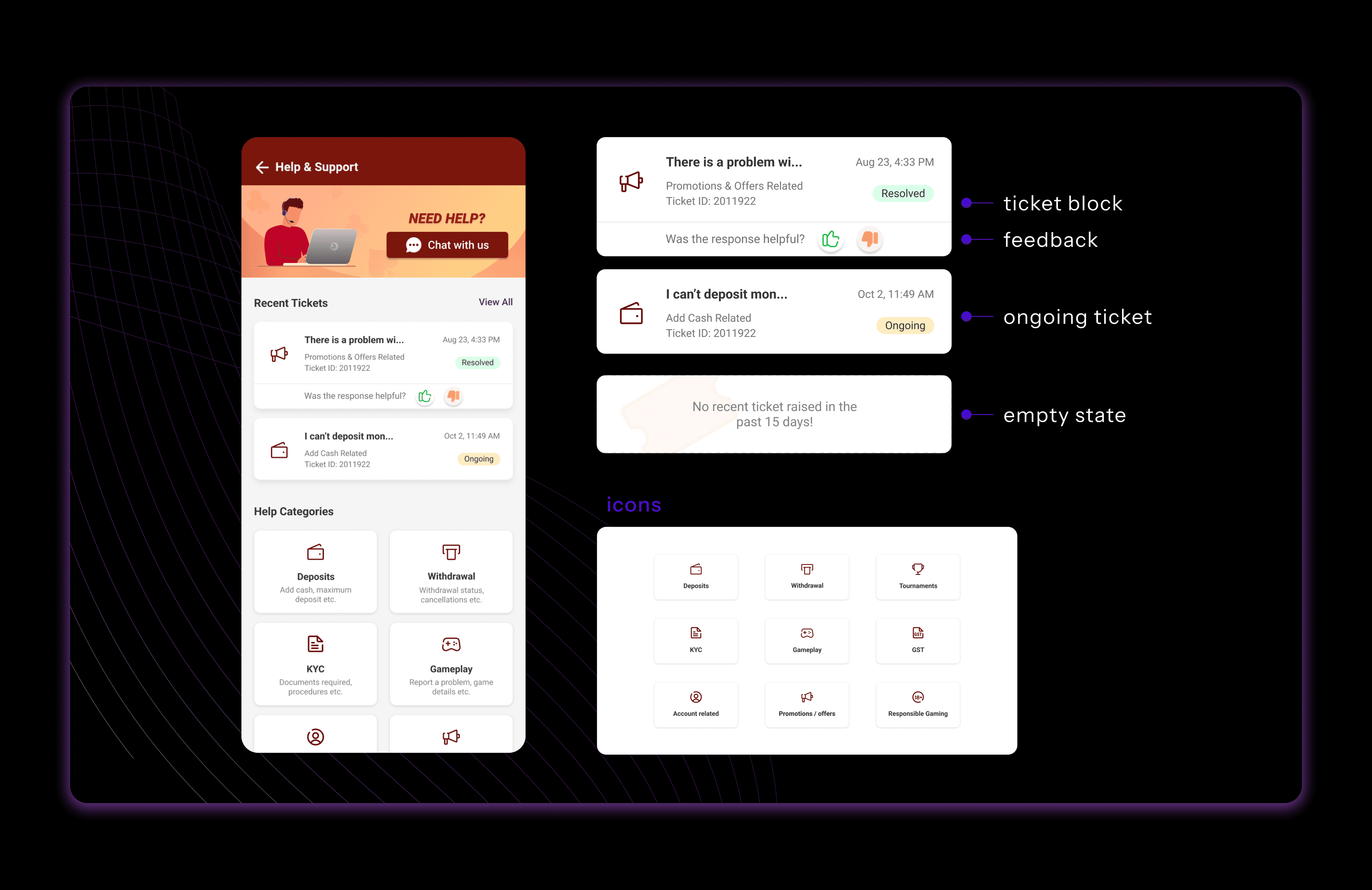
Additionally, we introduced refined UI elements, including a cleaner layout, improved spacing, and an updated color scheme that enhances readability. The new iconography aligns with the platform’s design language, offering a more intuitive and visually cohesive experience. The "Chat with Us" CTA remains prominent to encourage real-time support engagement. The Help Categories section has also been optimized for better discoverability, allowing users to quickly navigate to relevant support topics.
These refinements collectively enhance the user experience by streamlining support access, improving visibility, and reinforcing a user-friendly interface.
Conclusion
With the final UI design in place, this feature is poised to enhance user experience by making it easier for users to track and manage their support tickets directly from the app. While it’s still in the pipeline, the design reflects a user-centered approach, simplifying the support process and offering greater transparency. I’m excited to see how this feature contributes to improving user satisfaction once implemented.